
Yes, you can customize the sorting of student names on your Session Dashboard in a few ways! After starting a session, you can adjust sorting and name display at any time to match your session type or align with your gradebook. Here’s how it works:
Hide names
If you'd like to anonymize student answers - whether for projecting the Session Dashboard, reviewing responses anonymously to avoid bias, or sharing your screen during an online lesson - open the “Sort by” menu and activate “Hide names.”
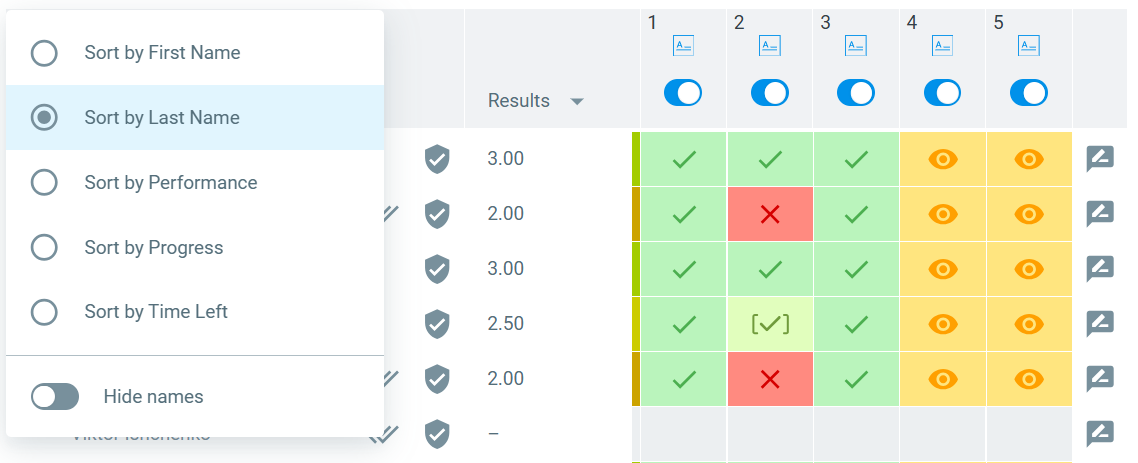
Sort by First Name
This option sorts students alphabetically by their first name. If you allow guest students (who can join using a nickname), they will also appear in this order based on the full name they enter.
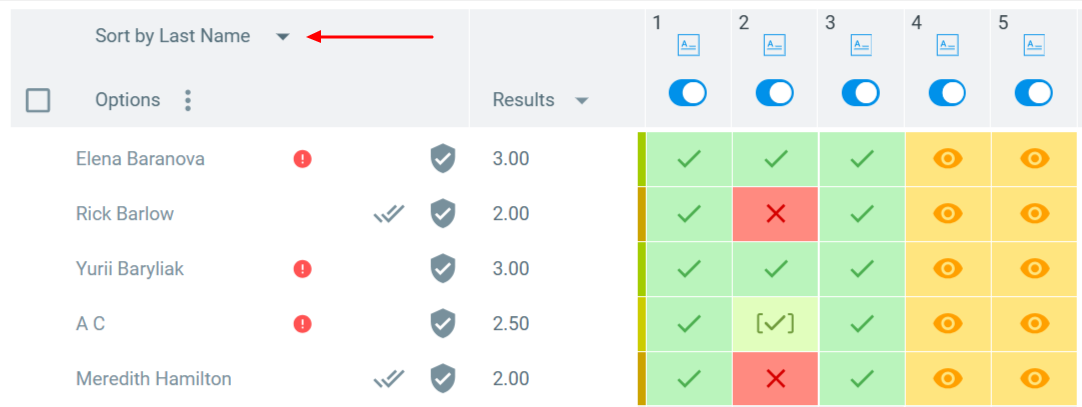
Sort by Last Name
Sorting by last name often matches the order used in gradebooks or your student information systems. When students log in with their email, Classtime recognizes their full name and sorts them alphabetically by last name. Guest students will always appear at the bottom of the list.
Sort by Performance
Choose this option to sort students based on their performance in the session. Students will appear in descending order, from the highest result to the lowest.
Sort by Progress
Sorting by progress places students who finished the session earliest at the top. This can be especially helpful during formative assessments or gamified activities where pacing matters.
Sort by Time Left
This option is available when the Timer is activated in Session Settings. Sorting by time left allows you to quickly identify which students may need extra attention as they complete the session.
Related Articles
FAQ
Can students see how they are being sorted?
No. Sorting affects only your view as the teacher. Students do not see the order of other participants, unless they see your screen.
Does sorting affect how answers are graded?
No. Sorting only changes the visual order of students in your dashboard. It does not impact automatic grading or how results are recorded.
Can I lock a sorting option for all sessions?
Currently, the Session Dashboard applies the last sorting option you used, and you can adjust it at any time during the session.